
Hinweis
Gehen Sie zum Ende, um den vollständigen Beispielcode herunterzuladen.
transforms.offset_copy#
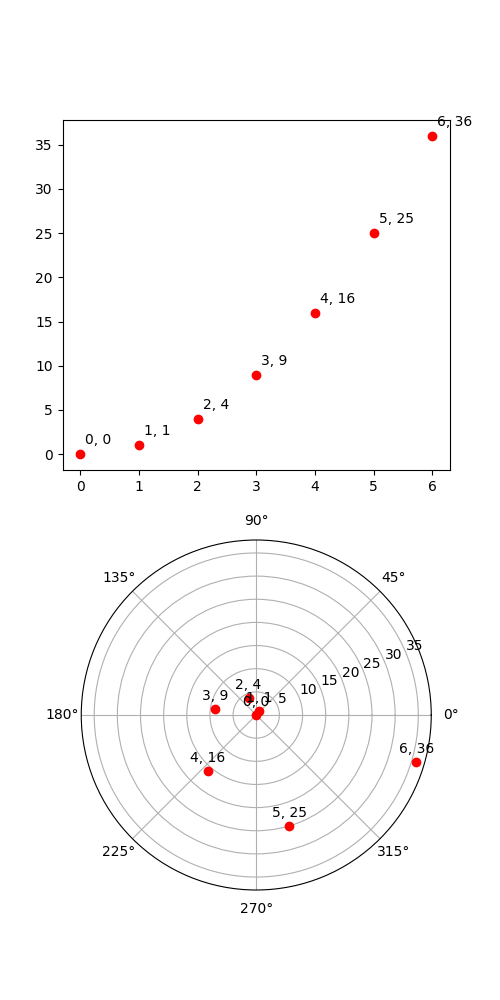
Dies veranschaulicht die Verwendung von transforms.offset_copy, um eine Transformation zu erstellen, die ein Zeichenelement wie eine Textzeichenfolge an einer bestimmten Verschiebung in Bildschirmkoordinaten (Punkte oder Zoll) relativ zu einer in beliebigen Koordinaten angegebenen Position platziert.
Jeder Künstler (Text, Line2D usw.) verfügt über eine Transformation, die beim Erstellen des Künstlers festgelegt werden kann, z. B. durch die entsprechende pyplot-Funktion. Standardmäßig ist dies normalerweise die Axes.transData-Transformation, die von Dateneinheiten zu Bildschirmpixeln führt. Wir können die Funktion offset_copy verwenden, um eine modifizierte Kopie dieser Transformation zu erstellen, wobei die Modifikation aus einer Verschiebung besteht.
import matplotlib.pyplot as plt
import numpy as np

import matplotlib.transforms as mtransforms

xs = np.arange(7)
ys = xs**2

fig = plt.figure(figsize=(5, 10))
ax = plt.subplot(2, 1, 1)

# If we want the same offset for each text instance,
# we only need to make one transform.  To get the
# transform argument to offset_copy, we need to make the Axes
# first; the subplot function above is one way to do this.
trans_offset = mtransforms.offset_copy(ax.transData, fig=fig,
                                       x=0.05, y=0.10, units='inches')

for x, y in zip(xs, ys):
    plt.plot(x, y, 'ro')
    plt.text(x, y, '%d, %d' % (int(x), int(y)), transform=trans_offset)


# offset_copy works for polar plots also.
ax = plt.subplot(2, 1, 2, projection='polar')

trans_offset = mtransforms.offset_copy(ax.transData, fig=fig,
                                       y=6, units='dots')

for x, y in zip(xs, ys):
    plt.polar(x, y, 'ro')
    plt.text(x, y, '%d, %d' % (int(x), int(y)),
             transform=trans_offset,
             horizontalalignment='center',
             verticalalignment='bottom')

plt.show()