
Hinweis
Zum Ende gehen, um den vollständigen Beispielcode herunterzuladen.
Polygon Selector#
Zeigt, wie ein Polygon programmgesteuert oder interaktiv erstellt wird
import matplotlib.pyplot as plt

from matplotlib.widgets import PolygonSelector
So erstellen Sie das Polygon programmgesteuert
fig, ax = plt.subplots()
fig.show()

selector = PolygonSelector(ax, lambda *args: None)

# Add three vertices
selector.verts = [(0.1, 0.4), (0.5, 0.9), (0.3, 0.2)]
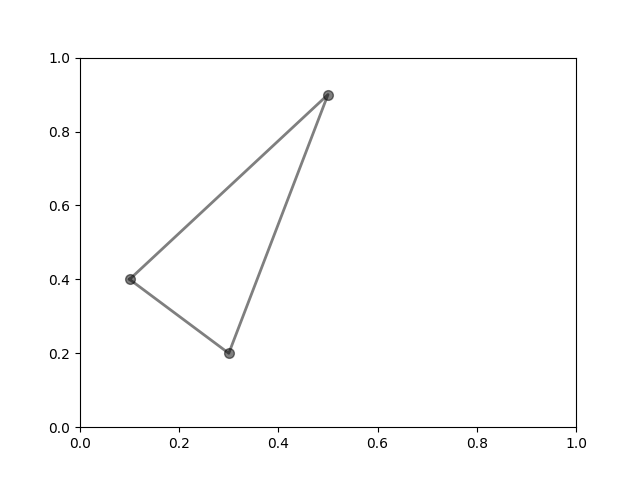
So erstellen Sie das Polygon interaktiv
fig2, ax2 = plt.subplots()
fig2.show()

selector2 = PolygonSelector(ax2, lambda *args: None)

print("Click on the figure to create a polygon.")
print("Press the 'esc' key to start a new polygon.")
print("Try holding the 'shift' key to move all of the vertices.")
print("Try holding the 'ctrl' key to move a single vertex.")
Click on the figure to create a polygon.
Press the 'esc' key to start a new polygon.
Try holding the 'shift' key to move all of the vertices.
Try holding the 'ctrl' key to move a single vertex.
Referenzen
Die Verwendung der folgenden Funktionen, Methoden, Klassen und Module wird in diesem Beispiel gezeigt